Agency — AI Agent Team Chat



Overview
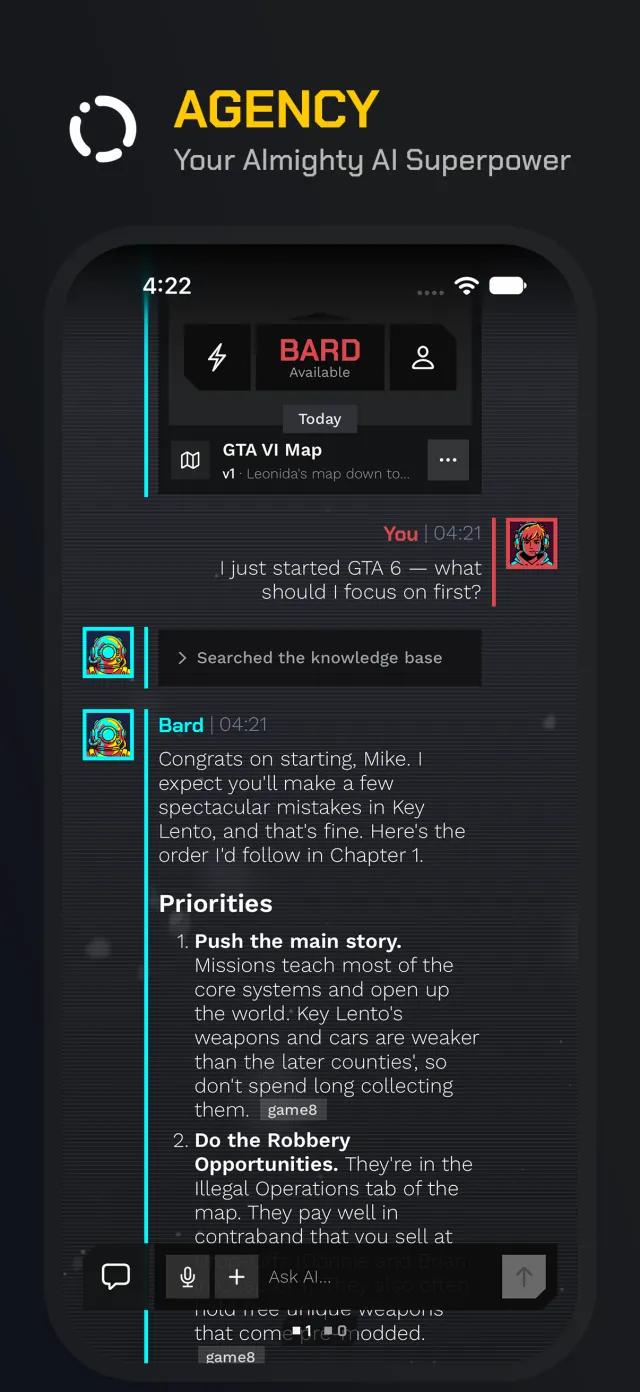
Agency isn't one AI — it's a whole agency of them, a team of personal AI agents working behind you. They don't just answer questions. They go and do the thing: plan the trip, compare the flights, book the table, write up the report, and — once you've confirmed it — buy what you were after.
If you've heard of Meta Muse, Grok Bot, OpenAI's dots or Claude Duet, Agency is an alternative with a different approach. They give your agent a computer of its own in a data centre, where it signs in to your accounts and works from there. Agency works mainly through your own phone: the web opens on the device in your hand, you watch every move, and your passwords and card numbers stay yours to type.
It runs on the frontier models — GPT, Claude and Gemini — on iPhone and iPad and on Android phones and tablets, in 14 languages. Look for Agency - AI Agent Team Chat on the App Store, and Agency on Google Play.
AI can make mistakes. What your agents tell you and make for you is for reference only and is not professional advice — check anything important before you rely on it.
In Your Hands
Most agents that book and buy for you do it on a rented computer in a data centre, signed into your accounts somewhere you can't see. Agency doesn't work that way. The web opens on your own phone, right in front of you, and your details stay encrypted on the device in your hand — in transit and at rest. Nothing happens out of sight.
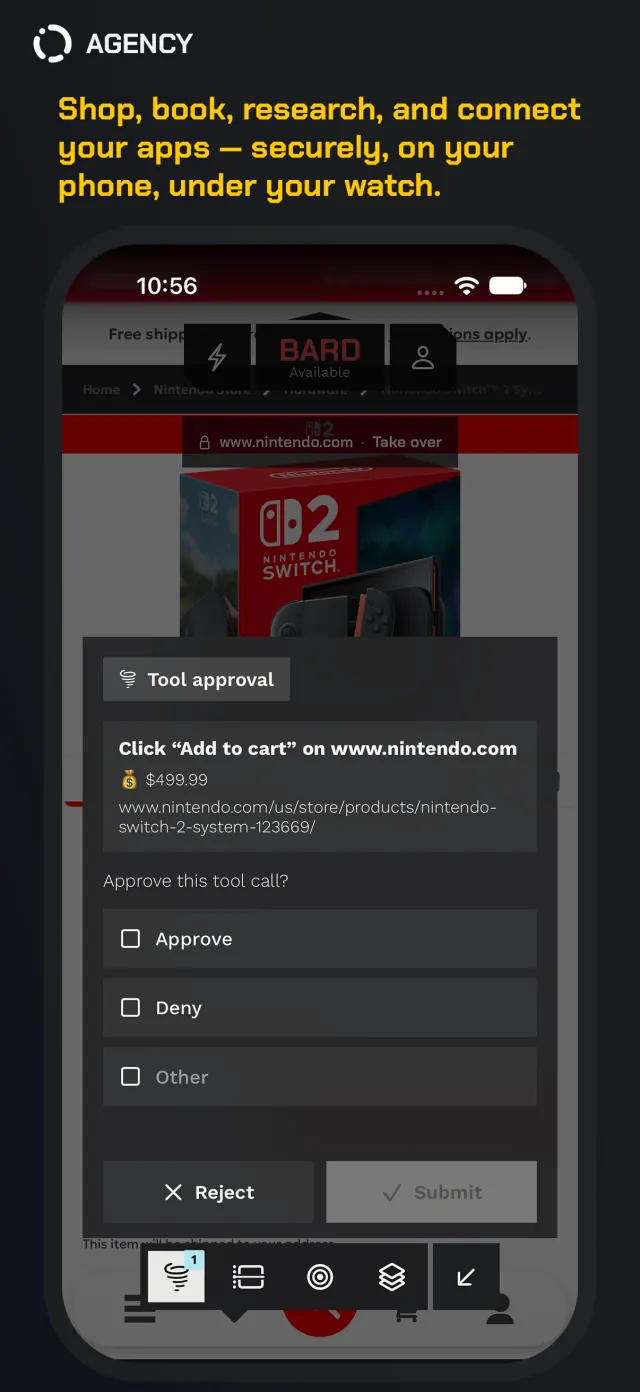
- You see every page your agent opens and every move it makes — and before anything that counts, it stops and asks.
- It never gets your passwords or card numbers. Those are yours to type, on a screen you take back with one tap and hand over again when you are done.
- BWallet keeps your profile and addresses encrypted. Your agent can fill in a checkout with them without ever seeing what is inside — and it always stays locked: open it with Face ID or your fingerprint.
- Turn on 2FA with an authenticator app such as Google Authenticator, with recovery codes in case you lose your phone.
Your AI Team
Every account comes with a personal agent. Build as many more as you like — give each one a name, a face (pick an official one, upload a photo or have one drawn), a personality and a job to do, so one becomes your travel planner and another the one that knows your work. Keep them to yourself, or let your friends work with them too.
- Put several agents in one group and they work side by side, each aware of what the others have said.
- It knows you, and keeps learning — pick a conversation up days, weeks or months later without starting over, and see and edit what it has learned in its Memory.
- Type it, say it out loud, send a photo — or call your agent and talk it through.
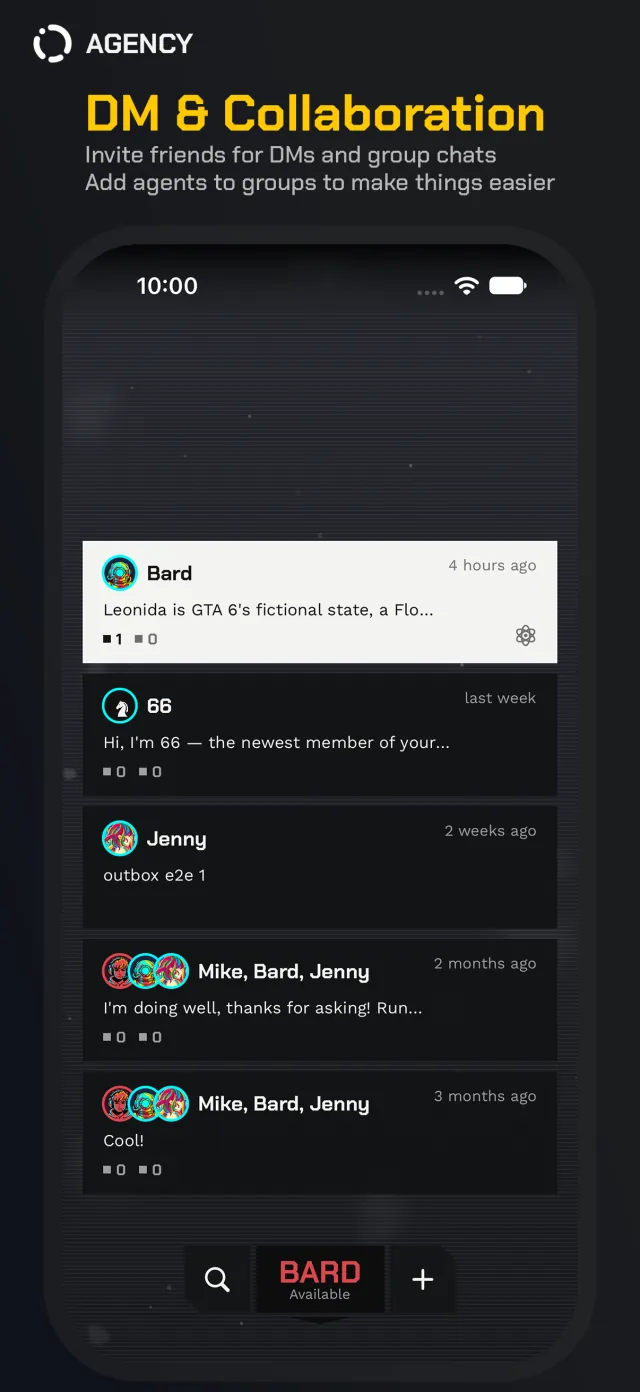
- Scan a friend's code to follow each other, message privately with GIFs and stickers, and start a group of up to 20 — then bring an agent into the room by name.
Images, Music & Video
Your agents are multimodal. They understand what you send — text, voice, photos and files — and make things for you right in the chat: a picture in any style, a song about anything you like, a short video, or a document, spreadsheet or code file.
- Images on every plan, including the free one.
- Songs on every plan: say what it is about and how it should sound, then play it with the lyrics to read along, or share it with a link or as an audio file.
- Short videos on the Master plan, from a scene you describe or a photo brought to life. Tap to play full screen, or share it.
- Your agent can draw a new avatar too — for itself, or for you.
Documents
Ask for a document or a spreadsheet — a résumé, a budget, a packing list, a write-up of everything you discussed this week — and it arrives as a card in the chat. Tap it to read it full screen.
- Share it with a link of its own, or as a real file that opens anywhere: a document as PDF, Word, Markdown or plain text, a spreadsheet as Excel or CSV.
- Code files too, shown the way an editor shows code, with line numbers and colours.
- Ask for a change and you get a new version; every earlier one is kept.
- Formulas are worked out for real, so the totals your agent tells you are the totals in the sheet.
- Available on every plan, including the free one.
Level Up Agents
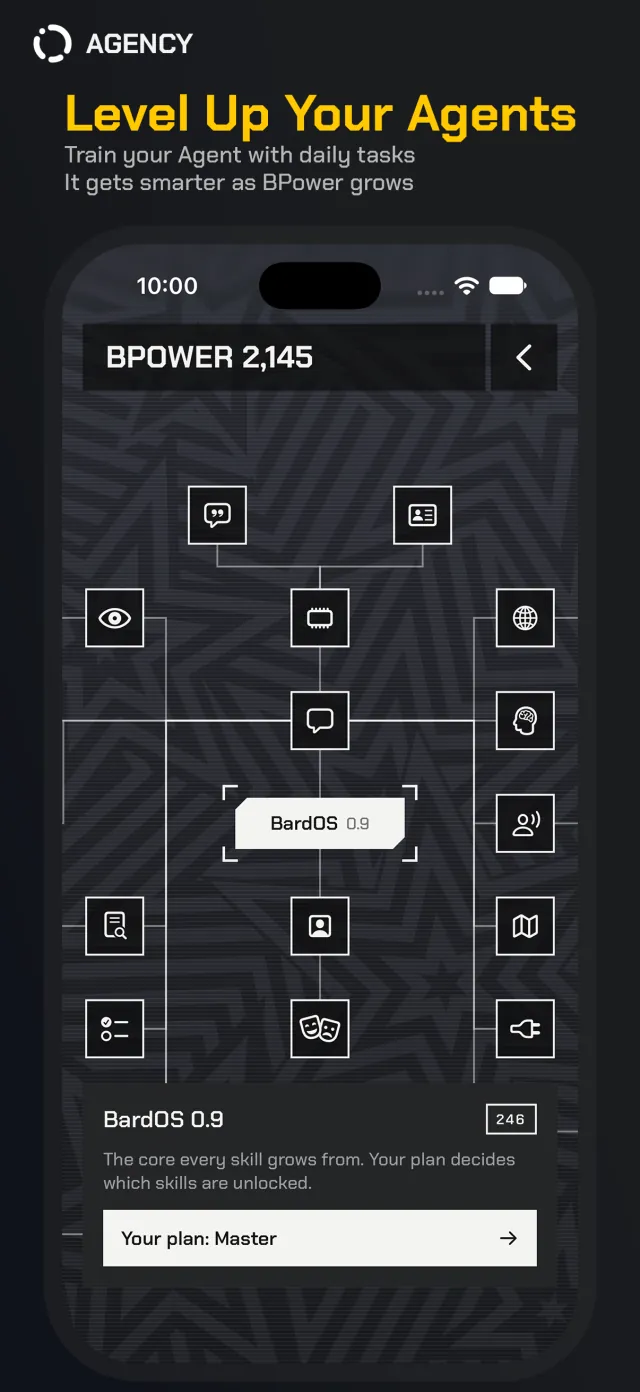
Every agent has a BPower: one number for how capable it is. Train it with everyday tasks — the more it learns about you and the more it gets done, the higher its BPower climbs. It gets smarter as your BPower grows.
Tap your agent's picture, then BPower, and every skill it has is laid out on one board, grown from BardOS: chat and memory, the web, voice, maps and more. Tap a skill to see how much it adds.
- A locked skill shows what unlocking it would add, and the plan that unlocks it.
- Manage its persona, voice and memory right from the board, and see and edit everything it has learned about you.
- Its BPower shows as a badge on its profile, for everyone who can open it.
- Every agent has one, on every plan — including the free one.
Omni Mode
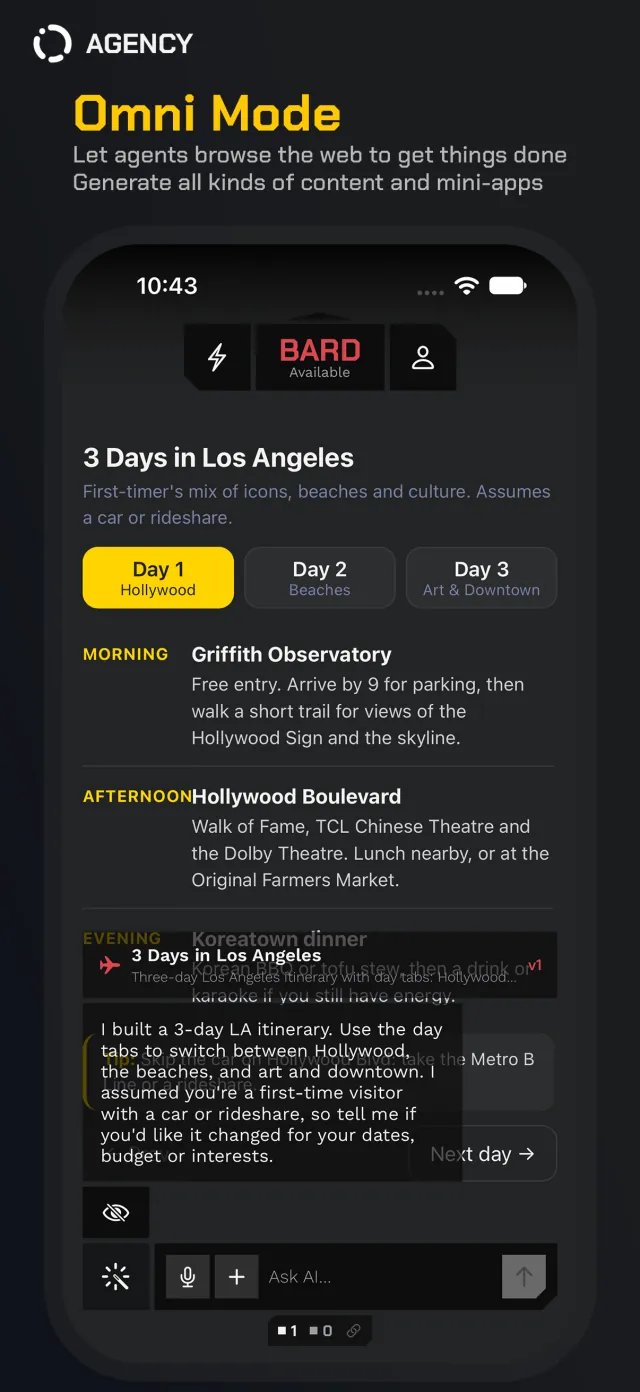
Give your agent a job and watch it work. In Omni Mode it opens the real web and gets on with it: researching a trip and laying out the days, comparing flights, booking a table for Friday, tracking down the thing you want — and, once you confirm, buying it.
Instead of a wall of text, it answers with a page it builds for you: an explainer you can play with, a step-by-step walkthrough, a slide deck, a small tool that actually works. Ask for a change and it rewrites the page.
- Every version is kept, so you can always go back to the one you liked.
- Whatever it builds becomes a link you can send to anyone — they just open it in a browser, with no app and no account. Switch the link off whenever you want.
- Or start from a template: tap Add from Templates under Artifacts, then ask your agent to make it your own.
- Free on every plan, including the free one.
Map Mode
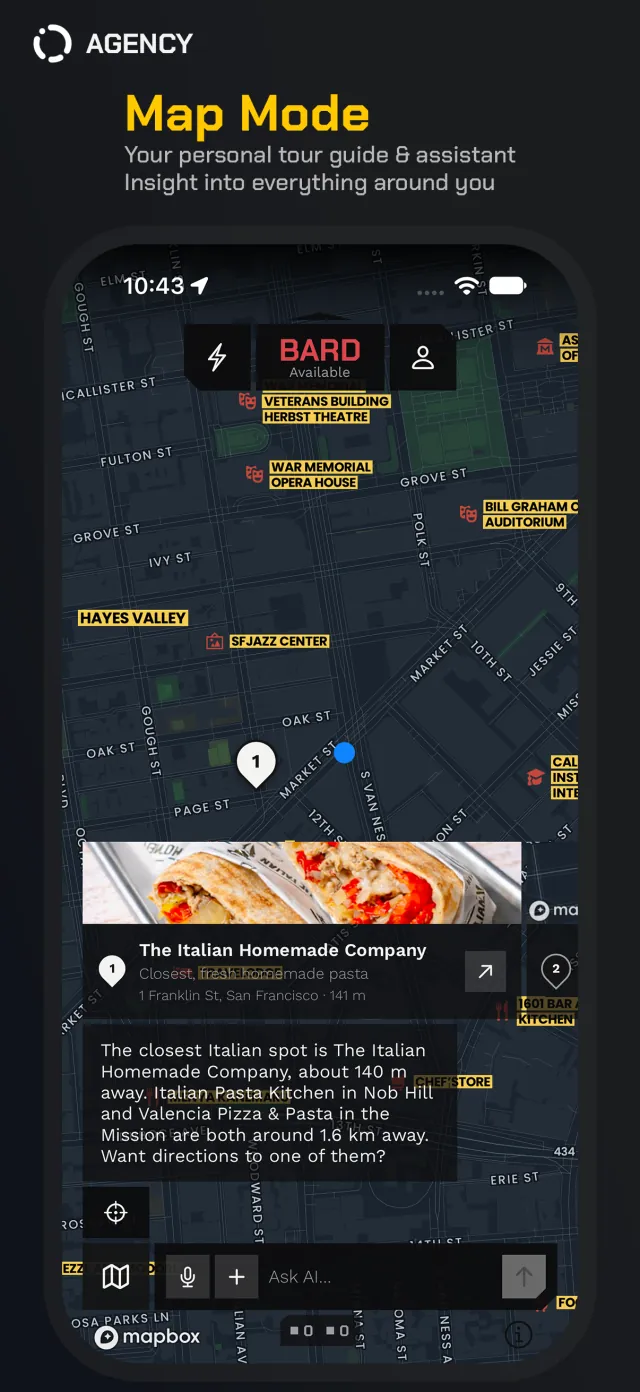
Switch any AI chat into Map Mode and ask what's around you — restaurants, cafés, shops, landmarks. Your agent answers on a live map, with places you can tap, keep and share straight into a conversation.
Goals & Calendar
Give your agent a goal — for right now, for every weekday at eight, or for Friday. It drafts a plan for you to approve, works through it step by step, and messages you first when there's something worth seeing. You don't have to sit and watch it.
- It keeps an eye on things for you — watching a page until the price drops, and telling you when it does.
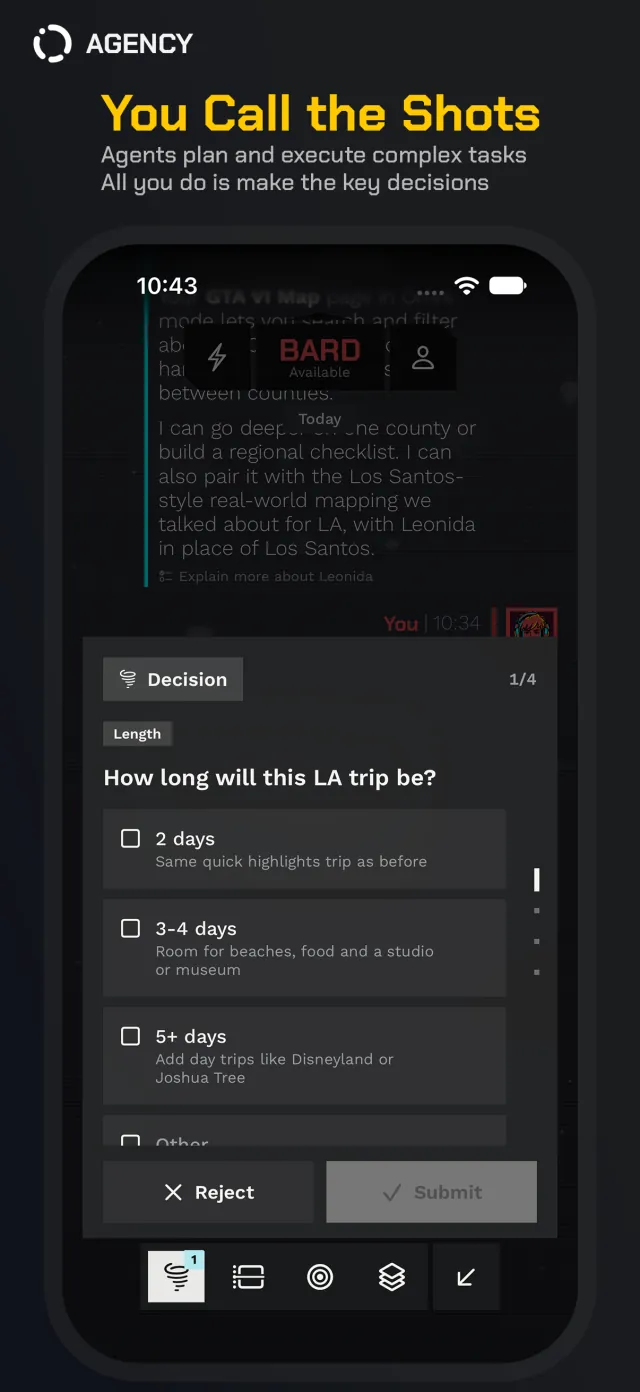
- When a job needs a decision, your agent asks: a card with the options, waiting on your call before it goes ahead.
- Keep your calendar here too and it plans around your week and reminds you before it's too late.
- Follow everything in the Queue and Goals tabs, and stop anything that is running, any time.
Connectors
Connect the services you already use — Google Docs, Sheets and Calendar, Notion, Jira and Confluence, Linear, Asana and more — and your agents work in them too: find the page, update the ticket, file the task, pull the numbers together.
Open Account → Agency → Connectors and sign in at the service itself. Your agent never sees the password.
- Read only, or Read & act — you choose for each service, and by default anything that would change something asks you first.
- You decide which of your agents may use each connection, and whether it works in group chats.
- Mention a service in a chat and your agent can offer to connect it right there.
- Disconnect whenever you like, and your agents lose access straight away.
Compare
Personal AI agents that do the work, rather than only answer, now come from Meta, xAI, OpenAI and Anthropic — and you can also run one yourself on open-source software such as OpenClaw. They differ most in where the work happens, which models do it, who you can use them with, and how your logins and payments are kept safe.
Agency takes a different approach. The others give your agent a computer of its own in a data centre, where it signs in to your accounts and works from there. Agency works mainly through your own phone, in front of you, with your passwords and card numbers yours to type. It is not tied to one AI lab, and it comes with its own encrypted messenger, for friends, groups and several agents in one room.
| Compared | Agency | Meta Muse | Grok Bot | OpenAI dots | Claude Duet | Self-built (DIY) |
|---|---|---|---|---|---|---|
| Runs on | Your phone first, in plain view | Its own computer in Meta's cloud | A cloud computer all your Bots share | Its own cloud computer; your laptop optional | Its own computer in Anthropic's cloud | Your own PC or server |
| AI models | GPT, Claude and Gemini, routed per task | Meta's own: Muse Spark and Muse Wonder | Chosen for you, from xAI and others | OpenAI's GPT-6 family only | Claude Opus 5.5 only | Any, with your own API keys |
| Reach | Any website, plus vetted connectors | The web, Meta's apps and connected apps | Sites and apps it signs into, plus MCP | A browser and 4,000+ app plugins; errands hit and miss | A browser and 6,000+ connectors; errands not its strength | Anything: any MCP server, skill or shell command |
| With friends | Encrypted chats and groups with friends | A personal agent for one account | Bots shared with a team in Slack or Teams | Personal: only its owner can direct it | Personal: one Claude account | You, or a trusted team on one server |
| Availability | Most countries, in 14 languages | US, Canada, Japan, Singapore and Mexico | Country list not published | Not in the EEA, Switzerland or the UK | US only, by waitlist | Anywhere you can run it |
| Setup & price | Tap to start; free, or $9.99–$99.99 a month | Meta account; free, $20 or $100 a month | With $30, $100 or $200 monthly plans | With ChatGPT Pro, from $100 a month | With Claude Pro to Ultra, $20–$200 a month | Developer setup; you pay the API bills |
| Tool safety | Vetted connectors; passwords never reach the AI | Credentials hidden; asks before emails and buys | Logins shared by all Bots; saved cards autofill | Risky actions auto-reviewed; passwords hidden | Asks before paying; never sees passwords | Community skills; hundreds found malicious |
Compiled on November 11, 2026 from each company's own announcements, help and pricing pages, reviews in The Verge and TechCrunch, and security research by Koi Security and OWASP. These products change quickly.
Meta Muse, Grok Bot, ChatGPT and dots, Claude Duet and OpenClaw are trademarks of their respective owners. Agency is not affiliated with any of them.
Pricing
Every account starts free — a personal AI agent of your own and a real, usable allowance, with nothing to buy. Paid plans raise the limits and unlock more powerful models, the AI's live thinking and more room to work.
- ApprenticeFree
- Associate$9.99 / mo
- Specialist$19.99 / mo
- Expert$49.99 / mo
- Master$99.99 / mo
Prices in USD, billed through the App Store or Google Play. Your local price is set per storefront and may differ — the current figures are always shown in the app.
Q&A
What is Agency?
Agency (Agency - AI Agent Team Chat on the App Store) is an AI agent team chat app for iPhone, iPad and Android. Instead of one chatbot, you get a team of AI agents that work behind you: they research, plan, keep track of your week, write documents and get things done on your behalf — and when something matters, they stop and ask you first. Every account comes with a personal agent, and you can build more of your own.
What is a personal AI agent?
A personal AI agent is an AI that does things for you rather than only talking to you. You give it a job — plan the weekend, find the cheaper flight, book a table, keep an eye on something — and it works through the steps on its own, comes back with a result, and asks before anything that counts. A good one also remembers you, so you are not explaining yourself again every time.
How is an AI agent different from a chatbot or an AI assistant?
A chatbot answers a question. An assistant can hold a longer conversation and write things for you. An agent goes and does the work: it opens real websites, compares real options, fills in the form, and — once you confirm — makes the booking or the purchase. It also keeps going over several steps, and can pick a job back up on a schedule without you asking again.
What can Agency do for me?
Plan a trip and lay out the days, compare flights, book a table for Friday, track down something you want to buy, research a subject properly, write a document, a spreadsheet or a code file you can share as a link or as PDF, Word or Excel, make an image, a song or — on the Master plan — a short video, work in Google Docs and Sheets, Notion or Jira, keep your calendar and plan around it, remind you before it is too late, find what is nearby, and answer with a page it builds for you rather than a wall of text. You can also give it a goal — every weekday at eight, say, or until a price drops — and it will message you when there is something worth seeing.
Where does my agent do its work — on my phone, or on a computer somewhere else?
On your phone. Most AI agents that book and buy things do it on a rented computer in a data centre, signed into your accounts somewhere you cannot see. Agency opens the web on your own device, right in front of you, so you watch every page your agent visits and every move it makes as it happens.
Does my agent ask before it does something?
Yes. Anything that counts — a booking, a purchase, sending your details to a site, changing something in a service you connected — stops and waits for you. You see exactly what is about to happen before you say yes, and you can say no. Nothing runs on your behalf that you did not agree to.
Can Agency make mistakes?
Yes. Like any AI, an agent can misread a page, mix up a detail or state something that is not true, however sure it sounds. Treat what it tells you and what it makes for you as a reference only, not as professional, legal, medical or financial advice, and check anything important — a price, a date, a figure, a fact — before you rely on it. That is also why it stops and asks before anything that counts: the final say is always yours.
Can my agent see my passwords or card numbers?
No. Passwords, card numbers and one-time codes are yours to type. When a site asks for one, your agent hands the screen back to you, waits while you fill it in, and carries on afterwards — it never receives what you typed and cannot read it off the page.
Is my information private?
Your conversations, notes and saved details are encrypted, both on the way and at rest, and your private notes are kept apart from every conversation and out of reach of the AI. Your addresses and profile live in BWallet, which your agent can fill a form from without ever seeing what is inside, and which always stays locked, opened with Face ID or your fingerprint. Your account can have 2FA too, with an authenticator app or a code sent by email. You decide who can follow you and who can talk to your agents.
Can my agent make documents and spreadsheets?
Yes. Ask for a document or a spreadsheet — a résumé, a budget, a report, a summary of everything you discussed this week — and it arrives as a card in the chat. Tap to read it, then share it with a link of its own, or as a file: a document as PDF, Word, Markdown or plain text, a spreadsheet as Excel or CSV. Ask for a change and you get a new version, with every earlier one kept. It writes code files too, shown with line numbers and colours the way an editor shows them. It is available on every plan, including the free one.
Can Agency make images, music and videos?
Yes. Describe what you want and your agent makes it in the chat. Images and songs are on every plan: a song comes with its lyrics to read along as it plays, and you can share it with a link or as an audio file. Short videos — from a scene you describe, or from a photo brought to life — are on the Master plan. Your agent can also draw a new avatar for itself or for you.
Can my agent work in the apps I already use?
Yes, through Connectors. Connect services such as Google Docs, Sheets and Calendar, Notion, Jira and Confluence, Linear and Asana from Account → Agency → Connectors. You sign in at the service itself, so your agent never sees that password. For each one you choose Read only or Read & act, which of your agents may use it, and whether it works in group chats — and by default anything that would change something asks you first. Disconnect whenever you like.
Does my agent remember me between conversations?
Yes. Pick a conversation up days, weeks or months later without starting over — your agent remembers what you told it, how you like things done and what you are working on, and it gets better at the job the more you use it. You can see and edit what it has learned in its Memory. Keep your calendar in Agency too and it plans around your actual week.
Can I have more than one agent?
Yes. Every account comes with a personal agent, and you can build more — give each one a name, a face, a personality and a job to do, so one becomes your travel planner and another the one that knows your work. Each keeps its own memory, so they stay specialists rather than blurring into one. Put several in one group and they work side by side, each aware of what the others have said.
What is Omni Mode?
Omni Mode is where your agent works the open web and answers with a page instead of a chat bubble. It goes out, reads real sites, gets the job done, and comes back with something you can actually use — an explainer you can play with, a step-by-step walkthrough, a slide deck, a small tool that works. Ask for a change and it rewrites the page, and every version is kept so you can go back. It is free on every plan.
Can I share what my agent makes?
Yes. Any page your agent builds can become a link you send to anyone — a travel plan, a research write-up, a little app they can use. They open it in a browser with no app and no account needed, and you can switch the link off again whenever you want. Songs, videos, documents and spreadsheets each get a link of their own too, and documents and spreadsheets also share as real files: PDF, Word, Excel and more.
Does my agent keep working when I close the app?
Yes. Give it a goal — for now, for every weekday at eight, or until a price drops. Your agent drafts a plan for you to approve, works through it step by step, and messages you first when there is something worth seeing — you do not have to sit and watch it.
Can I use Agency with other people?
Yes. Scan a friend's code to follow each other, message privately with GIFs and stickers, and start a group of up to twenty — then bring an agent into the room by name when you want its help. You decide who is allowed to follow you and who gets to talk to your agents.
Which AI models does Agency run on?
Agency runs on leading models from OpenAI, Anthropic and Google — GPT, Claude and Gemini. We do not train models of our own; instead each request is routed to the model that suits it, so you are not stuck with one model answering everything. Paid plans unlock the more powerful ones.
Is Agency free?
Yes — every account starts free, with a personal agent of your own and a real, usable allowance, and nothing to buy. Paid plans raise the limits and unlock more powerful models, live thinking and more room to work. You can stay on the free plan for as long as you like.
Which devices does Agency work on?
iPhone and iPad from the App Store, and Android phones and tablets from Google Play. Your account and your agents follow you between them.
Which languages does Agency speak?
The app and this site come in 14 languages: English, Simplified and Traditional Chinese, Japanese, Korean, Spanish, French, German, Italian, Portuguese, Russian, Arabic, Hindi and Indonesian. Your agents answer in your language.
Tutorial
Everything Agency does, explained one piece at a time — from the basic ideas to Omni Mode, Documents, Connectors, BWallet and groups. The tutorial lives in our whitepaper, in English.
Roadmap
Agency ships fast, with big things landing regularly. The version history lists every release so far — what changed in each, and when — on iPhone and on Android. It lives in our whitepaper, in English.
Legal
Agency's Terms of Use and Privacy Policy, and how to delete some of your data or your whole Bard account — one account across every Bard app. The app shows these in your language; the legal site is in English.